ACME BK03 - Bluetooth Keyboard Manual
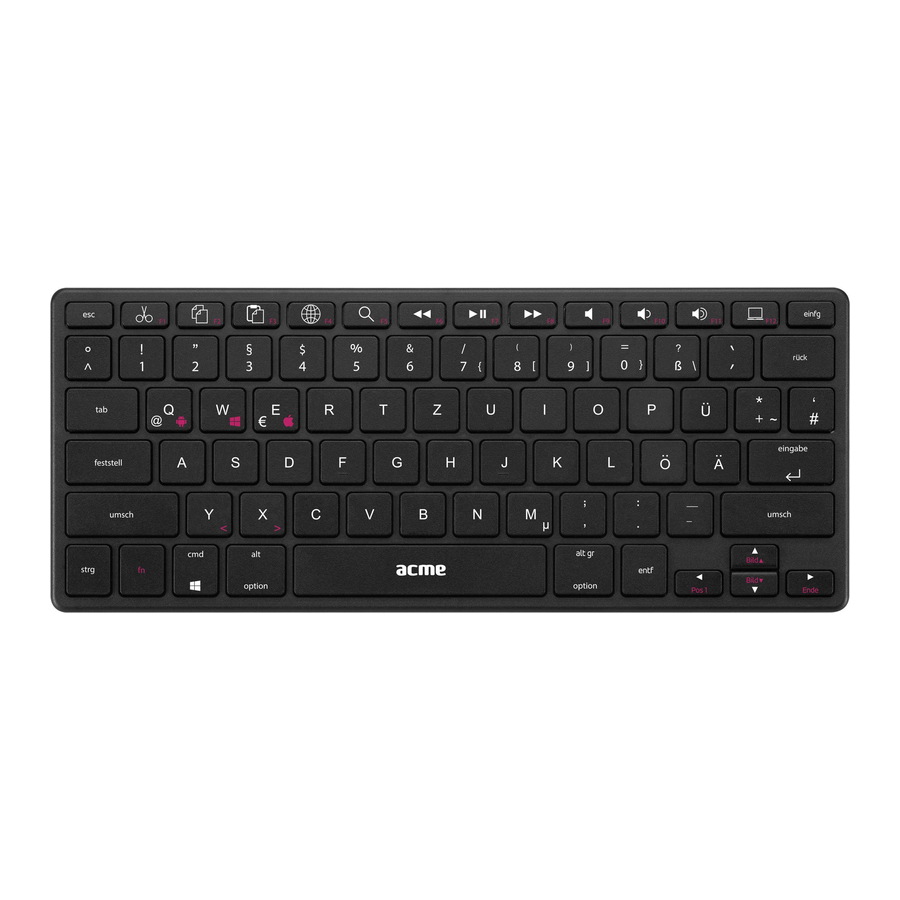
Overzicht

| 1. | Power switch |
| 2. | LED indicator |
| 3. | Battery compartment |
Installatie
- Turn on the keyboard (set power switch to the ON position). (Zet het toetsenbord aan (zet de aan/uit-schakelaar in de AAN-stand).)
- Press and hold "ESC" and "K" keys for 3 seconds. The red indicator light at the bottom of the keyboard will start to blink.
- Activate your device's Bluetooth function and set your device to search for Bluetooth devices within range, and then select "BK03" from the list of devices shown. Your device will show the pin code.
- Enter the pin code on the BK03 and press "Enter". (Voer de pincode in op de BK03 en druk op "Enter" (Invoeren).)
Batterij installatie
Open the battery door and install batteries. (Open het batterijklepje en plaats de batterijen.)
Opslag
To extend the battery life, turn off the keyboard when unused. (Om de levensduur van de batterij te verlengen, schakelt u het toetsenbord uit wanneer het niet wordt gebruikt.)

This product may not work properly or pair with some specific computer Bluetooth devices. (Dit product werkt mogelijk niet goed of kan niet worden gekoppeld met bepaalde Bluetooth-apparaten van computers.)
These issues can be caused by bad software/drivers or Bluetooth hardware itself and it is not related to BK03 keyboard. (Deze problemen kunnen worden veroorzaakt door slechte software/drivers of Bluetooth-hardware zelf en hebben geen betrekking op het BK03-toetsenbord.)
Veiligheidsinstructies
- Do not disassemble the product or remove any parts. (Haal het product niet uit elkaar en verwijder geen onderdelen.)
- Do not put the product into water or any liquid. (Dompel het product niet onder in water of een andere vloeistof.)
- Do not put the product close to heat source, or expose it to high temperature. (Plaats het product niet in de buurt van een warmtebron en stel het niet bloot aan hoge temperaturen.)

The manufacturer is not responsible for any radio or TV interference caused by unauthorized modifications to this equipment. (De fabrikant is niet verantwoordelijk voor radio- of tv-storingen veroorzaakt door ongeoorloofde wijzigingen aan deze apparatuur.) Such modifications could void the user authority to operate the equipment. (Dergelijke wijzigingen kunnen de bevoegdheid van de gebruiker om de apparatuur te bedienen ongeldig maken.)
Waste Electrical and Electronic Equipment (WEEE) Symbol (Afgedankte elektrische en elektronische apparatuur (AEEA) symbool)

The use of the WEEE symbol indicates that this product may not be treated as household waste. (Het gebruik van het AEEA-symbool geeft aan dat dit product niet als huishoudelijk afval mag worden behandeld.) By ensuring this product is disposed of correctly, you will help protect contact your local authority, your household waste disposal service provider or the shop where you purchased the product. (Door ervoor te zorgen dat dit product op de juiste manier wordt afgevoerd, helpt u contact op te nemen met uw plaatselijke overheid, uw afvalverwerkingsbedrijf of de winkel waar u het product hebt gekocht.)

Download handleiding
Hier kunt u de volledige pdf-versie van de handleiding downloaden. Deze kan aanvullende veiligheidsinstructies, garantie-informatie, FCC-regels, enz. bevatten.
Download ACME BK03 - Bluetooth Keyboard Manual