Muse M-330 DJ - Handleiding Draagbare Bluetooth-luidspreker
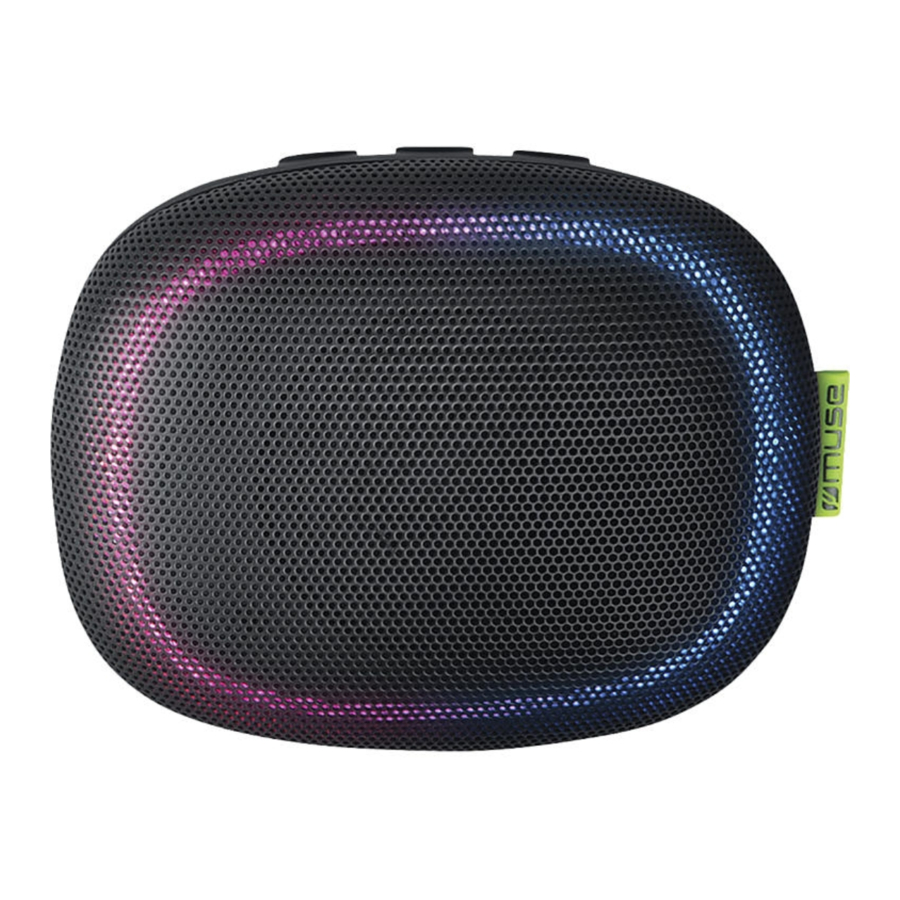
OVERZICHT

Lees de instructies zorgvuldig door voordat u het apparaat gebruikt.
LOCATIE VAN BEDIENINGSELEMENTEN
![]() Power ON/OFF (Aan/Uit)
Power ON/OFF (Aan/Uit)![]() Receive call/ Redial call/ End call/ Stereo pairing (Oproep ontvangen/ Oproep opnieuw kiezen/ Oproep beëindigen/ Stereo koppelen)
Receive call/ Redial call/ End call/ Stereo pairing (Oproep ontvangen/ Oproep opnieuw kiezen/ Oproep beëindigen/ Stereo koppelen)![]() Lighting control button (Verlichtingsbedieningsknop)
Lighting control button (Verlichtingsbedieningsknop)- Function LED indicator (blue for Bluetooth & AUX mode, (Blauw voor Bluetooth- en AUX-modus,) red for charging) (rood voor opladen)
- Microphone (Microfoon)
- Speaker (Luidspreker)
- AUX IN jack (AUX IN-aansluiting)
- Micro USB jack for charging (Micro USB-aansluiting om op te laden)


VOEDING
Het apparaat wordt gevoed door een ingebouwde, oplaadbare Li-polymeerbatterij. Laad de ingebouwde batterij minstens vier uur op voordat u het apparaat voor de eerste keer gebruikt.
Om de interne batterij op te laden, sluit u het kleinere uiteinde van de meegeleverde USB-kabel aan op de Micro USB-aansluiting en het andere uiteinde op een USB-aansluiting met stroom op uw computer of een wisselstroomvoeding (niet inbegrepen).
De functie-LED-indicator verandert in rode kleur tijdens het opladen en gaat uit wanneer de batterij volledig is opgeladen.

- While using the built-in battery, the environmental temperature (Bij gebruik van de ingebouwde batterij, de omgevingstemperatuur) should be 5°C (41°F) to 35°C (95°F). (moet 5°C (41°F) tot 35°C (95°F) zijn.)
- The built-in battery in this device may present a risk of fire or (De ingebouwde batterij in dit apparaat kan een risico op brand of) chemical burn if mistreated. Do not disassemble, heat above 100°C (212°F) or incinerate. (chemische brandwonden opleveren bij verkeerd gebruik. Niet demonteren, verwarmen boven 100°C (212°F) of verbranden.)
- To get the longest service life of the built-in battery, charge at (Om de langste levensduur van de ingebouwde batterij te krijgen, laadt u op bij) indoor-temperature. (kamertemperatuur.)
- Attention should be drawn to the environmental aspects of (De aandacht moet worden gevestigd op de milieuaspecten van) battery disposal. (batterijverwijdering.)
- Do not throw batteries in fire! (Gooi batterijen niet in vuur!)
- Battery shall not be exposed to excessive heat such as (Batterijen mogen niet worden blootgesteld aan extreme hitte zoals) sunshine, fire or the like. (zonlicht, vuur of iets dergelijks.)
- When the battery is low, the sound may distort and you will (Als de batterij bijna leeg is, kan het geluid vervormen en hoort u) hear the warning tone every minute. The unit will turn off automatically when the battery is too low to work. (elke minuut de waarschuwingstoon. Het apparaat wordt automatisch uitgeschakeld als de batterij te leeg is om te werken.)
WERKING
Turning unit ON/OFF (Apparaat AAN/UIT zetten)
Press and hold (Houd ingedrukt)  to turn on the unit. You will hear the voice "Bluetooth". (om het apparaat aan te zetten. U hoort de stem "Bluetooth".)
Press and hold (Houd ingedrukt) for 2 seconds to turn off the unit. You will hear the voice "Power Off". (gedurende 2 seconden om het apparaat uit te zetten. U hoort de stem "Power Off" (Uitschakelen).)
The Bluetooth® word mark and logos are registered trademarks owned by Bluetooth SIG, Inc. and any use of such marks by New One S.A.S is under license. Other trademarks and trade names are those of their respective owners.
Pairing a Bluetooth Device (Een Bluetooth-apparaat koppelen)
- Press and hold (Houd ingedrukt)
![]() indicator will blink blue rapidly indicating it is in Pairing mode. (De indicator knippert snel blauw, wat aangeeft dat het in de koppelmodus staat.)
indicator will blink blue rapidly indicating it is in Pairing mode. (De indicator knippert snel blauw, wat aangeeft dat het in de koppelmodus staat.) - On the Bluetooth device, enable Bluetooth and select (Schakel op het Bluetooth-apparaat Bluetooth in en selecteer) "M-330 DJ" from the Device List. (Refer to the user manual of the device to be connected for detailed operations.) If the Bluetooth device prompts for a passcode, use "0000". Some Bluetooth devices will ask you to accept the connection. If the units are paired properly, you will hear the voice "Connected". The function LED indicator will blink slowly after paired successfully. If there is no pairing or pairing is not successful within 15 minutes, the unit will turn off automatically. ("M-330 DJ" in de apparatenlijst. (Raadpleeg de gebruikershandleiding van het aan te sluiten apparaat voor gedetailleerde handelingen.) Als het Bluetooth-apparaat om een wachtwoord vraagt, gebruikt u "0000". Sommige Bluetooth-apparaten vragen u om de verbinding te accepteren. Als de apparaten correct zijn gekoppeld, hoort u de stem "Connected" (Verbonden). De functie-LED-indicator knippert langzaam nadat de koppeling is voltooid. Als er geen koppeling is of de koppeling niet binnen 15 minuten succesvol is, wordt het apparaat automatisch uitgeschakeld.)
Tip: If you want to connect your Bluetooth speaker to another Bluetooth audio device, press (Als u uw Bluetooth-luidspreker wilt verbinden met een ander Bluetooth-audioapparaat, drukt u op) button to disconnect the device, and then follow the steps above to make a new connection. (om het apparaat los te koppelen en volg dan de bovenstaande stappen om een nieuwe verbinding te maken.)
- On some devices such as computers, once paired you must (Op sommige apparaten, zoals computers, moet u, eenmaal gekoppeld,) select the unit from the Bluetooth menu and choose "Use as Audio Device (stereo)" or similar. (het apparaat selecteren in het Bluetooth-menu en "Gebruiken als audioapparaat (stereo)" of iets dergelijks kiezen.)
- Pairing remains intact when the unit and/or your Bluetooth (De koppeling blijft intact wanneer het apparaat en/of uw Bluetooth) device is taken out of communication range. An active connection will be re-established when your Bluetooth device returns within range. (apparaat buiten het communicatiebereik wordt gebracht. Er wordt een actieve verbinding hersteld wanneer uw Bluetooth-apparaat terugkeert binnen bereik.)
- When the unit is turned on again, it will automatically try to (Wanneer het apparaat opnieuw wordt ingeschakeld, zal het automatisch proberen om) reconnect with the most recently paired Bluetooth device. (opnieuw verbinding te maken met het meest recent gekoppelde Bluetooth-apparaat.)
Hierbij verklaart NEW ONE S.A.S dat deze MUSE M-330 DJ voldoet aan de essentiële eisen en andere relevante bepalingen van Richtlijn 2014/53/EU. De conformiteitsverklaring kan worden geraadpleegd op www.muse-europe.com
Using a Bluetooth Device (Een Bluetooth-apparaat gebruiken)
- Press and hold (Houd ingedrukt)
![]() to turn on the unit. With a unit paired (see previous section), operate your Bluetooth device and its sound will be heard through the M-330 DJ's speaker. (om het apparaat aan te zetten. Met een gekoppeld apparaat (zie vorige sectie), bedient u uw Bluetooth-apparaat en het geluid is te horen via de luidspreker van de M-330 DJ.)
to turn on the unit. With a unit paired (see previous section), operate your Bluetooth device and its sound will be heard through the M-330 DJ's speaker. (om het apparaat aan te zetten. Met een gekoppeld apparaat (zie vorige sectie), bedient u uw Bluetooth-apparaat en het geluid is te horen via de luidspreker van de M-330 DJ.) - Adjust the volume and select your desired track on the device (Pas het volume aan en selecteer het gewenste nummer op het apparaat) which you are paired. (waarmee u bent gekoppeld.)
- Press the (Druk op de)
![]() button to pause playback. Press again to resume playback. (knop om het afspelen te pauzeren. Druk nogmaals om het afspelen te hervatten.)
button to pause playback. Press again to resume playback. (knop om het afspelen te pauzeren. Druk nogmaals om het afspelen te hervatten.)
Note: (Opmerking:) The Bluetooth indicator will blink blue slowly during playback. (De Bluetooth-indicator knippert langzaam blauw tijdens het afspelen.)
 button to pause playback. Press again to resume playback. (knop om het afspelen te pauzeren. Druk nogmaals om het afspelen te hervatten.)
Receiving / Ending a Phone Call (Een telefoongesprek ontvangen / beëindigen)
This unit is equipped with a built-in microphone, which allows you to make or end calls of a connected mobile phone through this unit. Make sure your Bluetooth-enabled mobile phone is paired with the unit. When there is an incoming call to the connected mobile phone, you will hear an incoming call alert tone from the unit. (Dit apparaat is uitgerust met een ingebouwde microfoon, waarmee u gesprekken van een aangesloten mobiele telefoon via dit apparaat kunt voeren of beëindigen. Zorg ervoor dat uw mobiele telefoon met Bluetooth is gekoppeld aan het apparaat. Wanneer er een inkomende oproep is op de aangesloten mobiele telefoon, hoort u een waarschuwingstoon voor een inkomende oproep van het apparaat.)
- Press the (Druk op de)
![]() button to answer the incoming call. (knop om de inkomende oproep te beantwoorden.)
button to answer the incoming call. (knop om de inkomende oproep te beantwoorden.) - Press the (Druk op de)
![]() button twice to end call. (tweemaal op de knop om het gesprek te beëindigen.)
button twice to end call. (tweemaal op de knop om het gesprek te beëindigen.) - To reject the incoming call, press (Om de inkomende oproep te weigeren, drukt u op)
![]() button twice. (tweemaal op de knop.)
button twice. (tweemaal op de knop.) - To redial the last number retained in the memory of the mobile (Om het laatste nummer dat is opgeslagen in het geheugen van de mobiele telefoon opnieuw te kiezen,) phone, press the (drukt u tweemaal op de)
![]() button twice. (knop.)
button twice. (knop.)
Notes: (Opmerkingen:)
- Re-dialing function is unavailable if there is no dial record (De functie voor opnieuw kiezen is niet beschikbaar als er geen belgeschiedenis is) feature in your mobile phone. (functie in uw mobiele telefoon.)
- This unit will not operate or may operate improperly with some (Dit apparaat werkt niet of werkt mogelijk niet correct met sommige) Bluetooth mobile phones/ audio players. (Bluetooth-mobiele telefoons/audiospelers.)
- If the conversation is not clear, try to move closer to the (Als het gesprek niet duidelijk is, probeer dan dichter bij de) microphone. (microfoon te komen.)
STEREO KOPPELEN
Met deze functie kunt u stereogeluidskwaliteit krijgen. Er zijn twee Bluetooth-luidsprekers M-330 DJ nodig om de echte draadloze scheiding van het Bluetooth-radiokanaal te realiseren, daarom moet u twee M-330 DJ's kopen.

- Turn on the two Bluetooth speakers M-330 DJ. (Schakel de twee Bluetooth-luidsprekers M-330 DJ in.)
- When both speakers are in pairing mode, press and hold (Wanneer beide luidsprekers in de koppelmodus staan, houdt u)
![]() button on one Bluetooth speaker which will become the main speaker, then it will search and connect to the secondary speaker. They will recognize the left and right channel automatically. (de knop ingedrukt op één Bluetooth-luidspreker, die de hoofdluidspreker wordt, en vervolgens zoekt en maakt deze verbinding met de secundaire luidspreker. Ze herkennen automatisch het linker- en rechterkanaal.)
button on one Bluetooth speaker which will become the main speaker, then it will search and connect to the secondary speaker. They will recognize the left and right channel automatically. (de knop ingedrukt op één Bluetooth-luidspreker, die de hoofdluidspreker wordt, en vervolgens zoekt en maakt deze verbinding met de secundaire luidspreker. Ze herkennen automatisch het linker- en rechterkanaal.) - Connect your main speaker to Bluetooth enabled device (Verbind uw hoofdluidspreker met een Bluetooth-apparaat) (e.g. smart phone). (bijv. smartphone).
- Play your song and listen to the sound in stereo. (Speel uw nummer af en luister naar het geluid in stereo.)
- Press (Druk op)
![]() button on either speaker to pause playback. Press again to resume playback. (de knop op een van beide luidsprekers om het afspelen te pauzeren. Druk nogmaals om het afspelen te hervatten.)
button on either speaker to pause playback. Press again to resume playback. (de knop op een van beide luidsprekers om het afspelen te pauzeren. Druk nogmaals om het afspelen te hervatten.)
HET AANSLUITEN VAN EEN AUXILIAIRE BRON
- Press and hold (Houd ingedrukt)
![]() to turn on the unit. (om het apparaat aan te zetten.)
to turn on the unit. (om het apparaat aan te zetten.) - Connect your auxiliary source (e g. mp3 player) to the AUX (Sluit uw extra bron (bijv. mp3-speler) aan op de AUX) IN jack on unit (cable not included). The unit will switch to AUX mode automatically. The function LED indicator will light solid blue, indicating it's in AUX mode. (IN-aansluiting op het apparaat (kabel niet inbegrepen). Het apparaat schakelt automatisch over naar de AUX-modus. De functie-LED-indicator brandt continu blauw, wat aangeeft dat het in de AUX-modus staat.)
- Start playback of the external unit and the external audio (Start het afspelen van het externe apparaat en het externe audio-) unit's output sound will be heard through the M-330 DJ's speakers. (uitgangsgeluid van het apparaat is te horen via de luidsprekers van de M-330 DJ.)
- Adjust the volume and select your desired track on the (Pas het volume aan en selecteer het gewenste nummer op de) external audio unit. (externe audio-eenheid.)
- To stop playback, disconnect the audio cable from the AUX (Om het afspelen te stoppen, koppelt u de audiokabel los van de AUX) IN jack. The unit will switch to Bluetooth mode automatically. (IN-aansluiting. Het apparaat schakelt automatisch over naar de Bluetooth-modus.)
DE KLEURENLICHTEN GEBRUIKEN
When the unit is off, press (Als het apparaat is uitgeschakeld, drukt u op)  button to display the multiple color light automatically for a few seconds. (om het meervoudige kleurenlicht automatisch gedurende enkele seconden weer te geven.)
When the unit is on, multiple color changes and achieve a color cycle effect. Press the (Als het apparaat is ingeschakeld, veranderen de multiple kleuren en bereiken ze een kleurcyclus-effect. Druk op de)  button to settle down the light, repeatedly operate to select desired color. Press and hold the (om het licht te fixeren, bedient u herhaaldelijk om de gewenste kleur te selecteren. Houd de) to turn off the light. (ingedrukt om het licht uit te schakelen.)
GIDS VOOR PROBLEEMOPLOSSING
Als dit apparaat een probleem vertoont, controleer dan het volgende voordat u service zoekt:
No Power (Geen stroom)
- Power is not on; Press and hold (De stroom staat niet aan; houd ingedrukt)
![]() to turn on the unit (om het apparaat aan te zetten)
to turn on the unit (om het apparaat aan te zetten) - Make sure the battery is recharged. (Zorg ervoor dat de batterij is opgeladen.)
 to turn on the unit (om het apparaat aan te zetten)
No Sound – General (Geen geluid - Algemeen)
- External device's volume is set to minimum; raise volume. (Het volume van het externe apparaat is ingesteld op het minimum; verhoog het volume.)
The Bluetooth device cannot pair or connect with the unit. (Het Bluetooth-apparaat kan niet worden gekoppeld of verbinding maken met het apparaat.)
- You have not activated the Bluetooth function of your device. (U hebt de Bluetooth-functie van uw apparaat niet geactiveerd.)
Refer to the user manual of your device to activate Bluetooth function. (Raadpleeg de gebruikershandleiding van uw apparaat om de Bluetooth-functie te activeren.) - The unit is already connected with another Bluetooth device; disconnect that device and then try again. (Het apparaat is al verbonden met een ander Bluetooth-apparaat; koppel dat apparaat los en probeer het opnieuw.)
SPECIFICATIES
RECHARGEABLE BATTERY (OPLAADBARE BATTERIJ)
Battery Type: 3.7V 500mAh Li-Polymer Battery (Batterijtype: 3.7V 500mAh Li-polymeerbatterij)
Charging power: DC 5V 500mA (Oplaadvermogen: DC 5V 500mA)
Operating Time: Approx. 6 hours at 50% volume after fully charged (Gebruiksduur: ca. 6 uur bij 50% volume na volledig opladen)
Charging Time: Approx. 3 hours (Oplaadtijd: ca. 3 uur)
BLUETOOTH
Bluetooth: 2.402-2.48GHz
RF Output Power: -3.014 dBm (RF-uitgangsvermogen: -3.014 dBm)
Bluetooth Version: V4.2 (Bluetooth-versie: V4.2)
Working Distance: Up to 10 meters measured in open space (wall and structures may affect range of device) (Werkafstand: tot 10 meter gemeten in open ruimte (muur en structuren kunnen het bereik van het apparaat beïnvloeden))
Specifications are subject to change without notice. (Specificaties kunnen zonder voorafgaande kennisgeving worden gewijzigd.)
VEILIGHEIDSINSTRUCTIES
- The ventilation should not be impeded by covering the (De ventilatie mag niet worden belemmerd door de) ventilation openings with items such as newspapers, tablecloths, curtains, etc. (ventilatieopeningen af te dekken met voorwerpen zoals kranten, tafelkleden, gordijnen, enz.)
- No naked flame sources, such as lighted candles, should be (Er mogen geen open vuurbronnen, zoals brandende kaarsen, op de) placed on the apparatus. (apparatuur worden geplaatst.)
- The use of apparatus in moderate climates. (Het gebruik van apparatuur in gematigde klimaten.)
- The apparatus should not be exposed to dripping or splashing. (De apparatuur mag niet worden blootgesteld aan druppels of spatten.)
- Ensure a minimum distance of 5cm around the apparatus for (Zorg voor een minimale afstand van 5 cm rond de apparatuur voor) sufficient ventilation. (voldoende ventilatie.)
- Do not place objects filled with liquids, such as vases, on the (Plaats geen objecten gevuld met vloeistoffen, zoals vazen, op de) apparatus. (apparatuur.)
- The marking plate is located on the bottom of unit. (Het markeerplaatje bevindt zich aan de onderkant van het apparaat.)
- Under the influence of electrical fast transient or/and (Onder invloed van snelle elektrische transiënten en/of) electrostatic phenomenon, the product may malfunction and require user to power reset. (elektrostatische verschijnselen kan het product defect raken en moet de gebruiker de stroom opnieuw instellen.)

If at any time in the future you should need to dispose of this product please note that Waste electrical products should not be disposed of with household waste. Please recycle where facilities exist. Check with your Local Authority or retailer for recycling advice. (Als u dit product in de toekomst op enig moment wilt weggooien, houd er dan rekening mee dat afgedankte elektrische producten niet met het huisvuil mogen worden weggegooid. Recycle waar faciliteiten aanwezig zijn. Neem contact op met uw lokale overheid of winkelier voor advies over recycling.)
(Waste Electrical and Electronic Equipment Directive) (Richtlijn afgedankte elektrische en elektronische apparatuur)
NEW ONE S.A.S
10, Rue de la Mission, 25480 Ecole Valentin, France


References

Download handleiding
Hier kunt u de volledige pdf-versie van de handleiding downloaden. Deze kan aanvullende veiligheidsinstructies, garantie-informatie, FCC-regels, enz. bevatten.
Download Muse M-330 DJ - Handleiding Draagbare Bluetooth-luidspreker


