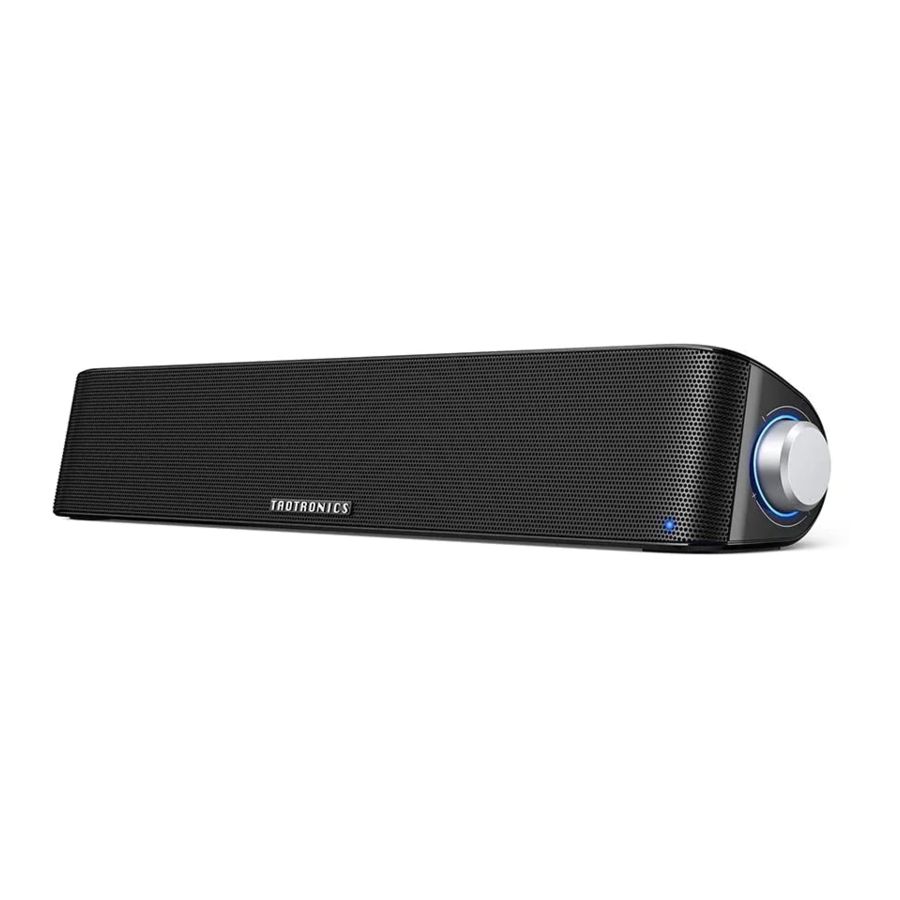
TaoTronics TT-SK028 - PC Sound Bar Handleiding
Inhoud
BELANGRIJKE VEILIGHEIDSINSTRUCTIES
Lees deze gebruikershandleiding zorgvuldig door voor gebruik en bewaar deze voor toekomstig gebruik.

- Om het risico op brand of elektrische schok te verminderen, mag u dit apparaat niet blootstellen aan regen of vocht.
- Houd de soundbar uit de buurt van extreme hitte en vochtigheid en stel deze niet bloot aan direct zonlicht.
- Niet in de buurt plaatsen van warmtebronnen zoals radiatoren, warmteroosters, kachels, enz.
- Gebruik deze Sound Bar alleen binnenshuis.
- Plaats deze Sound Bar nooit op andere elektrische apparatuur.
- Houd de Sound Bar schoon en droog. Reinig het product niet met reinigingsmiddelen die alcohol, ammoniak, benzeen of schuurmiddelen bevatten.

- Schraap het oppervlak niet met scherpe voorwerpen.
- Blokkeer geen ventilatieopeningen.
- Koppel dit apparaat los tijdens onweer of wanneer het gedurende lange tijd niet wordt gebruikt.
- Laat uw soundbar niet vallen of stoot er niet mee op harde oppervlakken, omdat dit de interne circuits kan beschadigen.
- Bescherm het netsnoer tegen betrapping of beknelling, vooral bij stekkers, stopcontacten en het punt waar ze het apparaat verlaten.
- Er is nauwlettend toezicht nodig bij gebruik in de buurt van kinderen.
- Het is verboden om onderdelen van dit apparaat zonder toestemming te demonteren.
- Vraag altijd een professionele technicus of geautoriseerd personeel om reparatie.
- Gebruik geen chemicaliën of reinigingsmiddelen om het apparaat schoon te maken. Alleen reinigen met een droge doek.
LEES EN BEWAAR DEZE INSTRUCTIES
Inhoud van de verpakking
- 1 x TaoTronics PC Sound Bar (TT-SK028)
- 1 x 3.5mm audiokabel
- 1 x Gebruikershandleiding
- 1 x Bedankkaart
Productdiagram

- Volume Knob (Volumeknop)
- Volume Knob Indicator (Volumeknop Indicator)
- Bluetooth® Indicator
- AUX OUT Port
- AUX IN port
- USB Power Cord (USB-voedingskabel)
Knopbediening
| Function (Functie) | Operation (Bediening) | Voice Prompt (Spraakprompt) | LED Indicator |
| Power On (Inschakelen) | Connect with any USB charging adapter or active computer USB port (Aansluiten op een USB-oplaadadapter of actieve USB-poort van de computer) | / | Volume Knob indicator stays solid blue (Volumeknopindicator blijft continu blauw branden) |
| Power Off (Uitschakelen) | Unplug the USB power cord (Trek de USB-voedingskabel eruit) | ||
| Bluetooth® Mode On / Off (Bluetooth®-modus aan / uit) | Press the Volume Knob twice (Druk tweemaal op de volumeknop) | Beep | / |
| Bluetooth® Pairing (Bluetooth®-koppeling) | / | Beep | Bluetooth® indicator flashes blue and white alternately (Bluetooth®-indicator knippert afwisselend blauw en wit) |
| Successfully Connected (Succesvol verbonden) | / | Beep | Bluetooth® indicator flashes blue every 5 seconds (Bluetooth®-indicator knippert elke 5 seconden blauw) |
| Volume + | Turn the Volume Knob clockwise (Draai de volumeknop met de klok mee) | Beep when highest setting is reached (Pieptoon wanneer de hoogste stand is bereikt) | |
| Volume - | Turn the Volume Knob anticlockwise (Draai de volumeknop tegen de klok in) | / | |
| Play (Afspelen) / Pause (Pauze) | Press the Volume Knob once (Druk eenmaal op de volumeknop) | / | Bluetooth® indicator flashes blue every 5 seconds (Bluetooth®-indicator knippert elke 5 seconden blauw) |
| Answer (Beantwoorden) / Hang Up Phone Call (Telefoongesprek ophangen) | Press the Volume Knob once (Druk eenmaal op de volumeknop) | Beep when answering (Pieptoon bij beantwoorden) | |
| Decline an Incoming Call (Een inkomend gesprek weigeren) | Press and hole the Volume Knob for 1 second (Houd de volumeknop 1 seconde ingedrukt) | / | |
| Bluetooth® Out of Range (Bluetooth® buiten bereik) | / | / | Bluetooth® indicator flashes blue and white alternately (Bluetooth®-indicator knippert afwisselend blauw en wit) |
Uw Sound Bar gebruiken
De Sound Bar plaatsen
- Place this unit on a level table near the place where th USB power plug can be easily reached. (Plaats dit apparaat op een vlakke tafel in de buurt van de plaats waar de USB-stekker gemakkelijk kan worden bereikt.)
- Never place this unit in an enclosed cabinet when the sound bar is playing. (Plaats dit apparaat nooit in een afgesloten kast wanneer de soundbar speelt.)
Bluetooth® Connection (Bluetooth®-verbinding)
- Connect the sound bar with any USB charging adapter or active computer USB port to turn on the unit. (Sluit de soundbar aan op een USB-oplaadadapter of actieve USB-poort van de computer om het apparaat in te schakelen.)
- Press the Volume Knob twice to turn on Bluetooth® mode. The Bluetooth® indicator will flash blue and white alternately indicating the sound bar is in pairing mode now. (Druk tweemaal op de volumeknop om de Bluetooth®-modus in te schakelen. De Bluetooth®-indicator knippert afwisselend blauw en wit om aan te geven dat de soundbar nu in de koppelingsmodus staat.)
- Turn on the Bluetooth® function on your device and search for nearby devices. Find "TaoTronics TT-SK028" in the search results and tap to connect. (Schakel de Bluetooth®-functie op uw apparaat in en zoek naar apparaten in de buurt. Zoek "TaoTronics TT-SK028" in de zoekresultaten en tik om verbinding te maken.)
- Once connected, a beep will be heard and the Bluetooth® indicator will flash blue every 5 seconds. (Eenmaal verbonden, is er een pieptoon te horen en knippert de Bluetooth®-indicator elke 5 seconden blauw.)
Note (Opmerking):
- When the Bluetooth® mode is turned on, the sound bar will automatically enter pairing and re-pairing mode. If the sound bar has been connected before, it will attempt to pair with the last connected device. If not, the sound bar will enter pairing mode for pairing with other Bluetooth® device. (Wanneer de Bluetooth®-modus is ingeschakeld, gaat de soundbar automatisch naar de koppelings- en herkoppelingsmodus. Als de soundbar al eerder is verbonden, zal deze proberen te koppelen met het laatst verbonden apparaat. Zo niet, dan gaat de soundbar naar de koppelingsmodus om te koppelen met een ander Bluetooth®-apparaat.)
- Please make sure no other active Bluetooth® devices are within range, and that the sound bar is within 3ft / 1m away from your device. (Zorg ervoor dat er geen andere actieve Bluetooth®-apparaten binnen bereik zijn en dat de soundbar zich binnen 1 meter van uw apparaat bevindt.)
AUX Cable Connection (AUX-kabelaansluiting)
- Connect the sound bar with any USB power adapter or active computer USB port to turn on the unit. (Sluit de soundbar aan op een USB-voedingsadapter of actieve USB-poort van de computer om het apparaat in te schakelen.)
- Plug in the 3.5mm audio cable into the AUX IN port at the back of the sound bar. (Steek de 3,5 mm audiokabel in de AUX IN-poort aan de achterkant van de soundbar.)
- Connect to your AUX device via the cable. (Maak via de kabel verbinding met uw AUX-apparaat.)
Note (Opmerking):
- Once connected to the AUX OUT port, the sound will be bypassed to the audio device connected. (Eenmaal aangesloten op de AUX OUT-poort, wordt het geluid doorgestuurd naar het aangesloten audioapparaat.)
- Make sure the music is at audile level and tune the volume through the Volume Knob. (Zorg ervoor dat de muziek op een hoorbaar niveau staat en pas het volume aan met de volumeknop.)
Reiniging en onderhoud
- Clean the Sound Bar on a regular basis. (Reinig de Sound Bar regelmatig.)
- Use dry and soft cotton cloth to wipe the unit. (Gebruik een droge en zachte katoenen doek om het apparaat af te vegen.)
- Keep away from sharp objects to avoid scratches. (Houd uit de buurt van scherpe voorwerpen om krassen te voorkomen.)
- Put the unit in a dry and shady place if it is to be idle for a long time. (Plaats het apparaat op een droge en schaduwrijke plaats als het lange tijd niet wordt gebruikt.)
- Do not clean the product with detergent or chemicals. (Reinig het product niet met reinigingsmiddelen of chemicaliën.)
- Do not insert anything into the product. (Steek niets in het product.)

Download handleiding
Hier kunt u de volledige pdf-versie van de handleiding downloaden. Deze kan aanvullende veiligheidsinstructies, garantie-informatie, FCC-regels, enz. bevatten.
Download TaoTronics TT-SK028 - PC Sound Bar Handleiding