Elgato CAM LINK 4K - Camera Handleiding
Inhoud
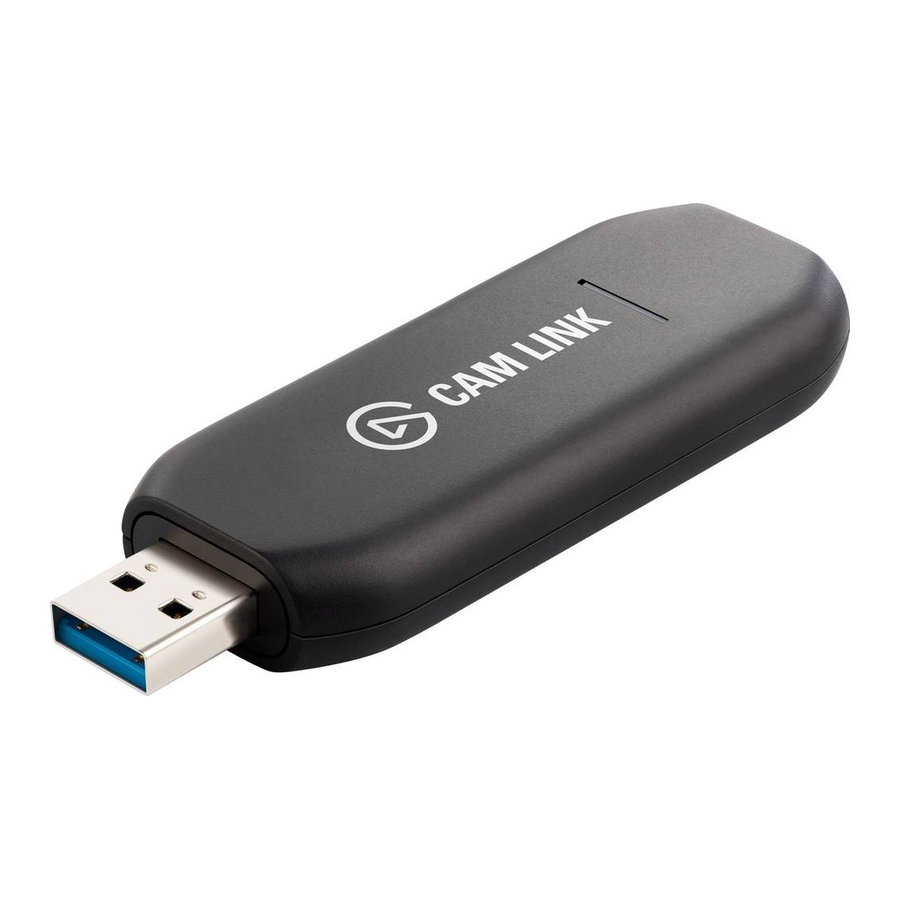
CAM LINK 4K INSTELLEN
- Sluit Cam Link 4K aan op een beschikbare USB 3.0-poort op uw computer.

- Gebruik een HDMI-kabel (niet inbegrepen) om uw camera aan te sluiten op de HDMI-ingang op Cam Link 4K

- Open uw favoriete software voor videovergaderingen en selecteer Cam Link 4K als de camera.

Plug & Play: Works seamlessly with all popular video conferencing apps
![]()
Compatible with:
Compatibel met:
![]()


CAMERATIPS
Deze tips zorgen voor de beste ervaring en beeldkwaliteit bij het gebruik van een camera met Cam Link 4K. Dit zijn algemene tips en zijn mogelijk niet rechtstreeks van toepassing op de camera die u gebruikt.
- Disable Auto Shutoff - Most cameras will automatically turn off to prevent battery drain. For video calls, the camera needs to stay on indefinitely. Automatic power shutoff settings are most often found in the power settings of the camera.
Uitschakelen automatische uitschakeling - De meeste camera's worden automatisch uitgeschakeld om te voorkomen dat de batterij leeg raakt. Voor videogesprekken moet de camera continu aan blijven staan. Automatische uitschakelinstellingen zijn meestal te vinden in de energie-instellingen van de camera.

- Clean HDMI Output – Cameras output graphical user interface elements such as battery levels and resolution settings. This can be disabled by going into your camera's HDMI menu and disabling HDMI info display, or by pressing the info button on your camera multiple times.
Schone HDMI-uitgang - Camera's geven grafische elementen van de gebruikersinterface weer, zoals batterijniveaus en resolutie-instellingen. Dit kan worden uitgeschakeld door naar het HDMI-menu van uw camera te gaan en de HDMI-info-weergave uit te schakelen, of door meerdere keren op de infoknop op uw camera te drukken.
![]()
- Use an AC Adapter - Most cameras cannot operate and charge at the same time. An AC adapter or „dummy battery" (nepbatterij) must be used to trick the camera into thinking it is running on battery power indefinitely.
Gebruik een AC-adapter - De meeste camera's kunnen niet tegelijkertijd werken en opladen. Er moet een AC-adapter of "dummy battery" (nepbatterij) worden gebruikt om de camera voor de gek te houden zodat hij denkt dat hij voor onbepaalde tijd op batterijstroom werkt.

- Set to Movie Mode – Look for the Movie Mode option, typically indicated by a film camera icon on a camera's mode dial.
Instellen op filmmodus - Zoek naar de optie Filmmodus, meestal aangegeven door een filmcamera-pictogram op de modusknop van een camera.


WAAROM CAM LINK GEBRUIKEN?
DLSR-camera's bieden veel voordelen ten opzichte van traditionele webcams. Dit zijn enkele van de voordelen van het gebruik van een camera van hoge kwaliteit.

DSLR
 | Image Sensor - Pixels are larger and capture more light and detail. |  | Megapixels - A high megapixel (image resolution) count increases fine detail and sharpness. |
 | Low Light - With overall features like sensor size, megapixel count, color science etc., low light performance is leagues ahead of a webcam. This is often referred to as the ISO range. |  | Color Science - Camera manufacturers invest heavily in their color science. This is how the sensor and ISP (Image signal processor) process and interpret colors. |
 | Lenses - DSLR lenses can be changed. Increasing zoom, better low light imaging, shallow depth of field, and background blur (bokeh effect) are all achievable with different lenses. |  | Dynamic Range - Dynamic range is the difference between the brightest and darkest parts of the image a camera can capture. The higher the dynamic range, the more lifelike colors will appear without crushing shadows or clipping highlights. |
 | Connectivity - DSLR cameras feature many different connectivity options: USB, Wi-Fi and Bluetooth for wireless image sharing, HDMI for video streaming, and SD Card recording for editing. |  | Manual control - Every element of the image is tunable. Exposure, ISO, focus, etc. |

Download handleiding
Hier kunt u de volledige pdf-versie van de handleiding downloaden. Deze kan aanvullende veiligheidsinstructies, garantie-informatie, FCC-regels, enz. bevatten.
Download Elgato CAM LINK 4K - Camera Handleiding