Dell PP04X Handleidingen
Handleidingen en gebruikershandleidingen voor Dell PP04X. We hebben 3 Dell PP04X handleidingen beschikbaar als gratis PDF-download: Gebruikshandleiding, Snelle Referentiegids
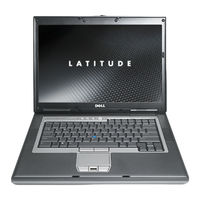
Dell PP04X Gebruikshandleiding (168 pagina's)
Inhoudsopgave
-
Uw Computer15
-
Vooraanzicht15
-
Ladingsmeter32
-
Slaapstand34
-
Batterij40
-
Touchpad41
-
Kaarttypen65
-
PC-Kaart66
-
Expresscard67
-
Smartcards69
-
Wachtwoorden71
-
Windows91
-
Algemeen92
-
Overzicht101
-
Reistips106
-
Stuurprogramma's107
-
Voordat U Begint115
-
Vaste Schijf117
-
Scharnierkap120
-
Toetsenbord121
-
Geheugen123
-
Knoopbatterij135
-
Dell™ Quickset137
-
Specificaties139
-
Hulp Krijgen147
-
Dellconnect148
-
On Line Services148
-
Autotech-Service149
-
Voordat U Belt150
-
Bijlage153
-
Touchpad153
-
Muis154
-
CD's en DVD's154
-
FCC Klasse B155
-
Woordenlijst157

Dell PP04X Gebruikshandleiding (164 pagina's)
Inhoudsopgave
-
Vooraanzicht15
-
Windows XP26
-
Ladingsmeter30
-
Slaapstand32
-
Batterij36
-
Draadloos36
-
Touchpad38
-
Nuttige Tips53
-
Kaarttypen67
-
Pc-Kaarten67
-
Wachtwoorden72
-
Touchpad77
-
Muis78
-
Overzicht101
-
Stuurprogramma's105
-
Voordat U Begint113
-
Vaste Schijf116
-
Scharnierkapje118
-
Geheugen119
-
DIMM A-Connector119
-
DIMM B-Connector121
-
Mini-Card123
-
Toetsenbord126
-
Knoopbatterij129
-
Dell™ Quickset133
-
Reistips136
-
Help-Informatie137
-
Hulp Krijgen137
-
Dellconnect138
-
On Line Services138
-
Autotech-Dienst139
-
Voordat U Belt140
-
Specificaties143
-
Bijlage151
-
FCC Klasse B151
-
Termenlijst153

Dell PP04X Snelle Referentiegids (156 pagina's)
Inhoudsopgave
-
Abbreviations and Acronyms2
-
Inhoudsopgave3
-
Finding Information5
-
Setting up Your Computer9
-
About Your Computer10
-
Front View10
-
Left View11
-
Right View11
-
Back View12
-
Bottom View12
-
Using a Battery13
-
Battery Performance13
-
Checking the Battery Charge14
-
Conserving Battery Power15
-
Power Management Modes15
-
Standby Mode15
-
Hibernate Mode16
-
Configuring Power Management Settings17
-
Charging the Battery17
-
Replacing the Battery17
-
Storing a Battery18
-
Troubleshooting19
-
Lockups and Software Problems19
-
Dell Diagnostics20
-
When to Use the Dell Diagnostics20
-
Starting the Dell Diagnostics from Your Hard Drive21
-
Starting the Dell Diagnostics from the Drivers and Utilities Media21
-
Dell Diagnostics Main Menu22
-
Index25
-
Snelle Referentiegids27
-
Vooraanzicht36
-
Slaapstand42
-
Index51
-
Recherche D'informations57
-
Configuration de Votre Ordinateur61
-
A Propos de Votre Ordinateur62
-
Vue Frontale62
-
Vue de Gauche63
-
Vue de Droite63
-
Vue Arrière64
-
Vue du Dessous64
-
Utilisation D'une Batterie65
-
Performances de la Batterie65
-
Vérification de la Charge de la Batterie66
-
Économie D'énergie Sur Batterie67
-
Modes de Gestion D'énergie67
-
Mode Veille67
-
Mode Mise en Veille Prolongée68
-
Configuration des Paramètres de Gestion D'énergie69
-
Charge de la Batterie69
-
Remplacement de la Batterie69
-
Stockage de la Batterie70
-
Dépannage71
-
Problèmes de Blocage et Problèmes Logiciels71
-
Dell Diagnostics72
-
Quand Utiliser Dell Diagnostics72
-
Démarrage de Dell Diagnostics à Partir de Votre Disque Dur73
-
Démarrage de Dell Diagnostics à Partir du Média Drivers and Utilities74
-
Menu Principal de Dell Diagnostics74
-
Index77
-
Informationsquellen83
-
Einrichten des Computers87
-
Informationen über den Computer88
-
Vorderansicht88
-
Linke Seitenansicht89
-
Rechte Ansicht89
-
Rückansicht90
-
Unterseite90
-
Verwenden eines Akkus91
-
Akkuleistung91
-
Prüfen des Akkuladestands92
-
Einsparen von Leistung93
-
Energieverwaltungsmodi94
-
Standby-Modus94
-
Ruhezustand94
-
Konfigurieren der Energieverwaltungs-Einstellungen95
-
Aufladen des Akkus95
-
Ersetzen des Akkus96
-
Lagern eines Akkus97
-
Fehlerbehebung97
-
Probleme mit Absturz und Software97
-
Dell Diagnostics99
-
Verwenden von Dell Diagnostics99
-
Starten des Programms „Dell Diagnostics" von der Festplatte99
-
Starten von Dell Diagnostics über den Drivers and Utilities-Datenträger100
-
Dell Diagnostics-Hauptmenü101
-
Stichwortverzeichnis103
-
Ricerca DI Informazioni109
-
Installazione del Computer113
-
Informazioni Sul Computer114
-
Vista Frontale114
-
Vista da Sinistra115
-
Vista da Destra115
-
Vista Posteriore116
-
Vista Inferiore116
-
Uso Della Batteria117
-
Rendimento Della Batteria117
-
Controllo Della Carica Della Batteria118
-
Conservazione Dell'autonomia Della Batteria119
-
Modalità del Risparmio Energia120
-
Modalità Standby120
-
Modalità Sospensione120
-
Configurazione Delle Impostazioni DI Risparmio Energia121
-
Ricarica Della Batteria121
-
Sostituzione Della Batteria122
-
Conservazione Della Batteria123
-
Risoluzione Dei Problemi123
-
Blocchi E Problemi del Software123
-
Dell Diagnostics125
-
Quando Usare Il Programma Dell Diagnostics125
-
Avvio del Programma Dell Diagnostics Dal Disco Rigido125
-
Avvio DI Dell Diagnostics Dal Supporto Drivers and Utilities126
-
Menu Principale DI Dell Diagnostics127
-
Localización de Información135
-
Configuración de Su Equipo139
-
Acerca de Su Equipo140
-
Vista Frontal140
-
Vista Izquierda141
-
Vista Derecha141
-
Vista Posterior142
-
Vista Inferior142
-
Uso de la Batería143
-
Rendimiento de la Batería143
-
Comprobación de la Carga de la Batería144
-
Conservación de la Energía de la Batería145
-
Modos de Administración de Energía146
-
Modo de Espera146
-
Modo de Hibernación146
-
Configuración de Los Valores de Administración de Energía147
-
Carga de la Batería147
-
Sustitución de la Batería148
-
Almacenamiento de una Batería149
-
Solución de Problemas149
-
Bloqueos y Problemas con el Software149
-
Dell Diagnostics150
-
Cuándo Usar Los Dell Diagnostics150
-
Inicio de Dell Diagnostics desde la Unidad de Disco Duro151
-
Iniciar Dell Diagnostics desde el Soporte Drivers and Utilities152
-
Menú Principal de Dell Diagnostics (Diagnósticos Dell)152
-
Índice155


